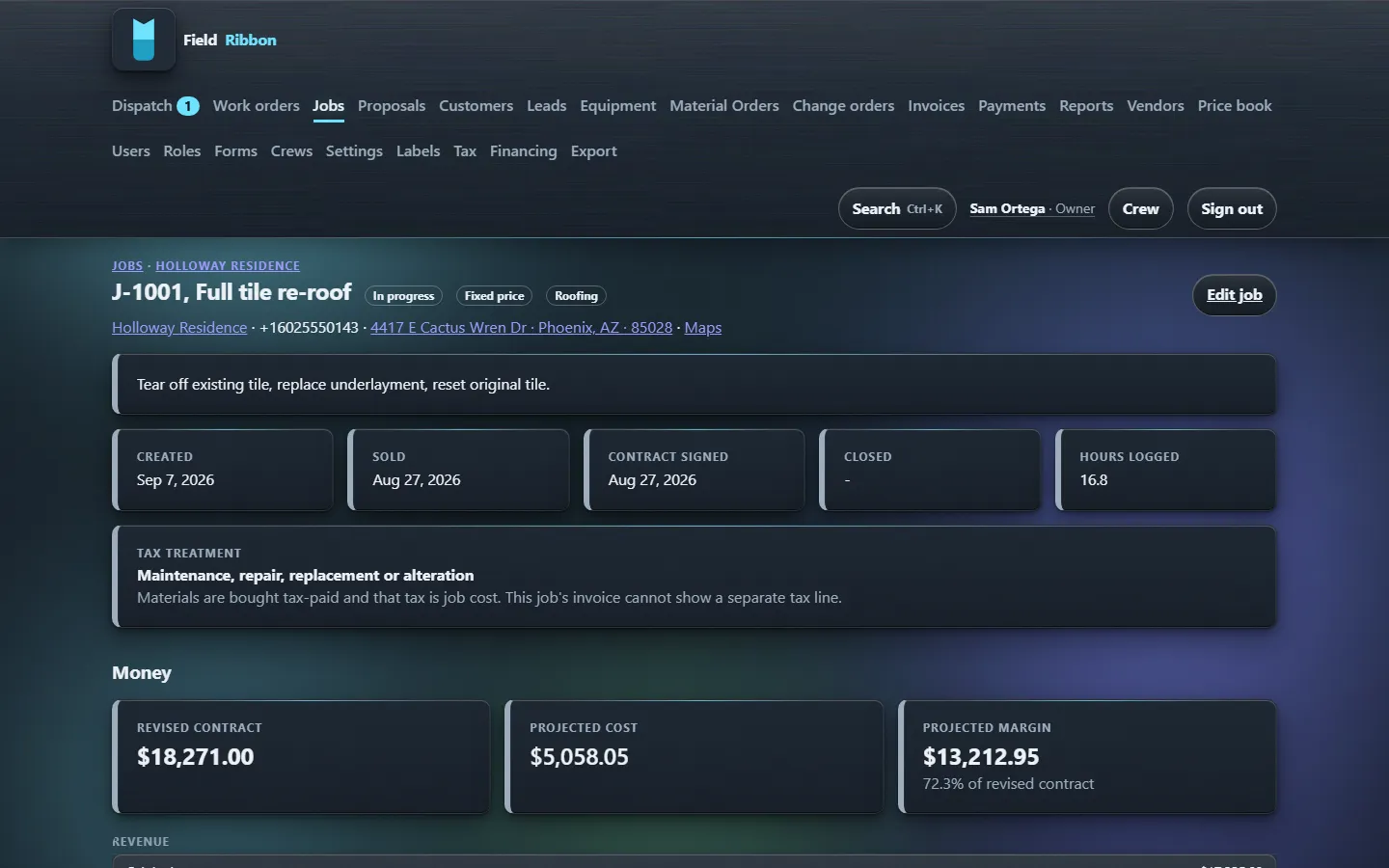
Projected margin, live
Revised contract minus actual cost minus what is still committed. Scheduling a crew commits labour at the burdened rate; a purchase order commits material. The number moves the moment the job does.
Field service software for landscaping contractors
A landscaping crew's day is a route: a dozen stops, each one a mow, a bed cleanup or a design-build phase, scheduled back to back on the same board every week. FieldRibbon dispatches route visits by day and by crew. Each stop's actual cost, the crew's burdened hours and any material used, rolls up to the job, so you can see which accounts are profitable and which are costing you the truck. The crew phone works from the truck with no signal, logging photos and a completed stop, syncing once it is back in range.
Limited time: the next 10 organisations get 50% off list, locked for 24 months. No per-seat fees. No add-on modules. Month to month.
Why this exists
| On | The usual platforms | FieldRibbon |
|---|---|---|
| Price | Per seat. Every hire raises the bill. | One flat price per band. Hire into it. |
| What is included | A base plan, then paid modules for the rest. | Everything, in every band. |
| Contract | Twelve-month minimum, with an exit fee. | Month to month. Leave with all your data. |
| Margin | Revenue today. Margin when the books close. | Projected margin while the job is still open. |
| In the field | An app that needs signal to save. | A crew phone that works offline and syncs later. |
| Tax | A tax line on every invoice, right or not. | Refuses a tax line where stating it would make you liable. |
| Setup | Weeks of configuration before day one. | Opinionated defaults. Working in an afternoon. |
What you get
Revised contract minus actual cost minus what is still committed. Scheduling a crew commits labour at the burdened rate; a purchase order commits material. The number moves the moment the job does.
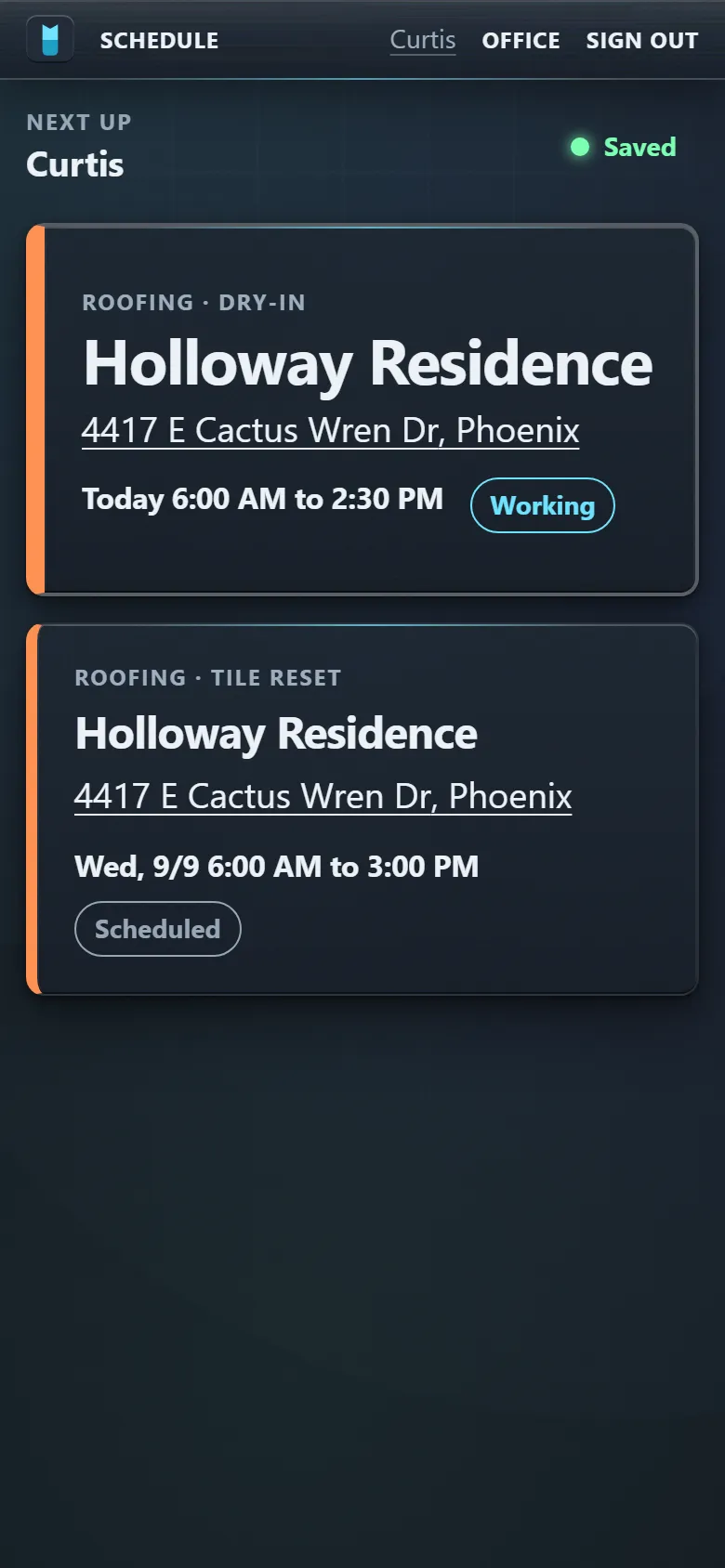
Depart, arrive, photos, forms, a customer signature, and field selling from the price book. All of it works with no signal and syncs when the truck finds some. High-contrast by measurement, not taste.
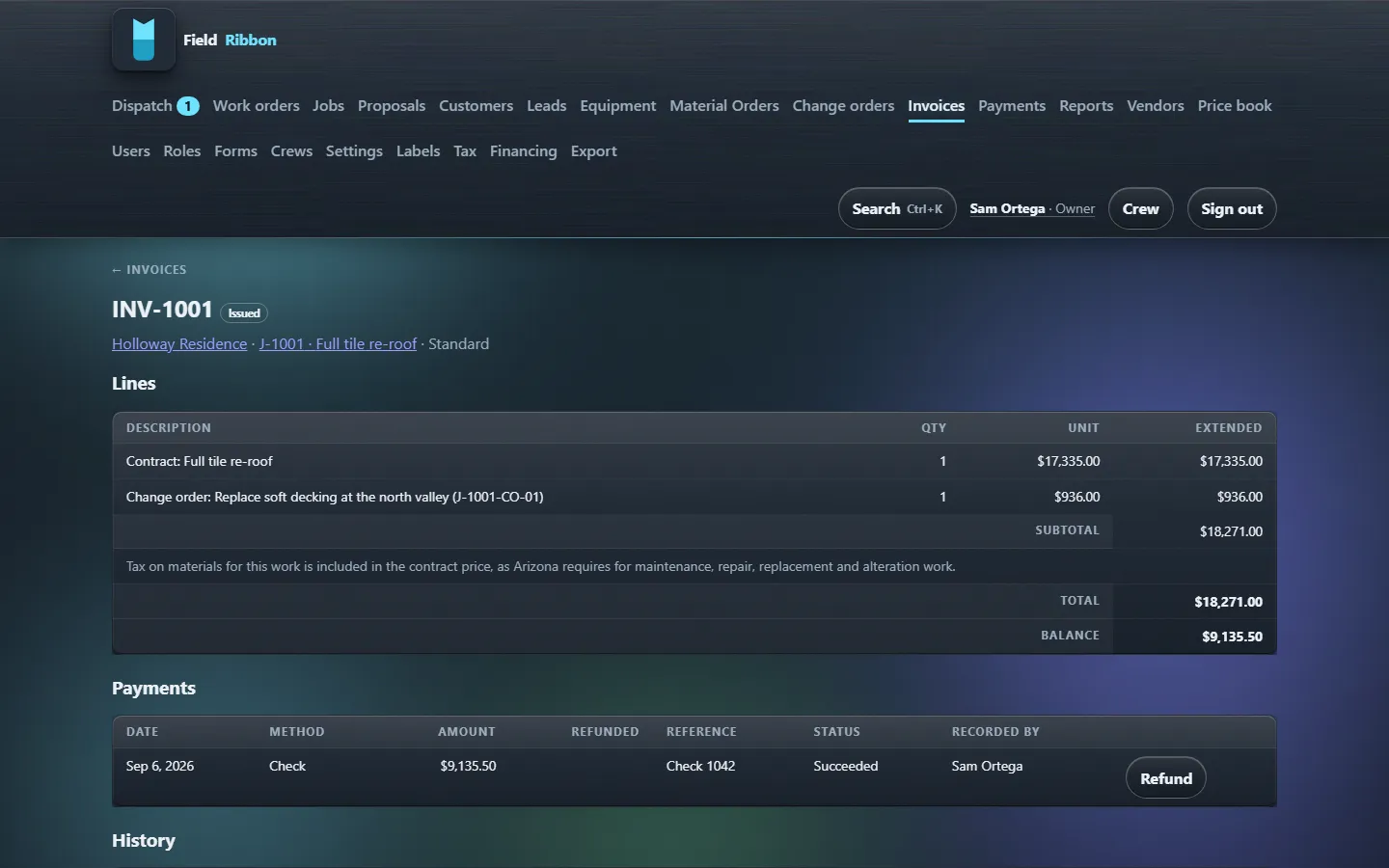
Progress and final invoices, credit memos, partial refunds, aging, and Stripe Checkout for card or ACH. Arizona contracting tax is built in, and the software will not put a separate tax line on a job where stating it would make you liable for it.
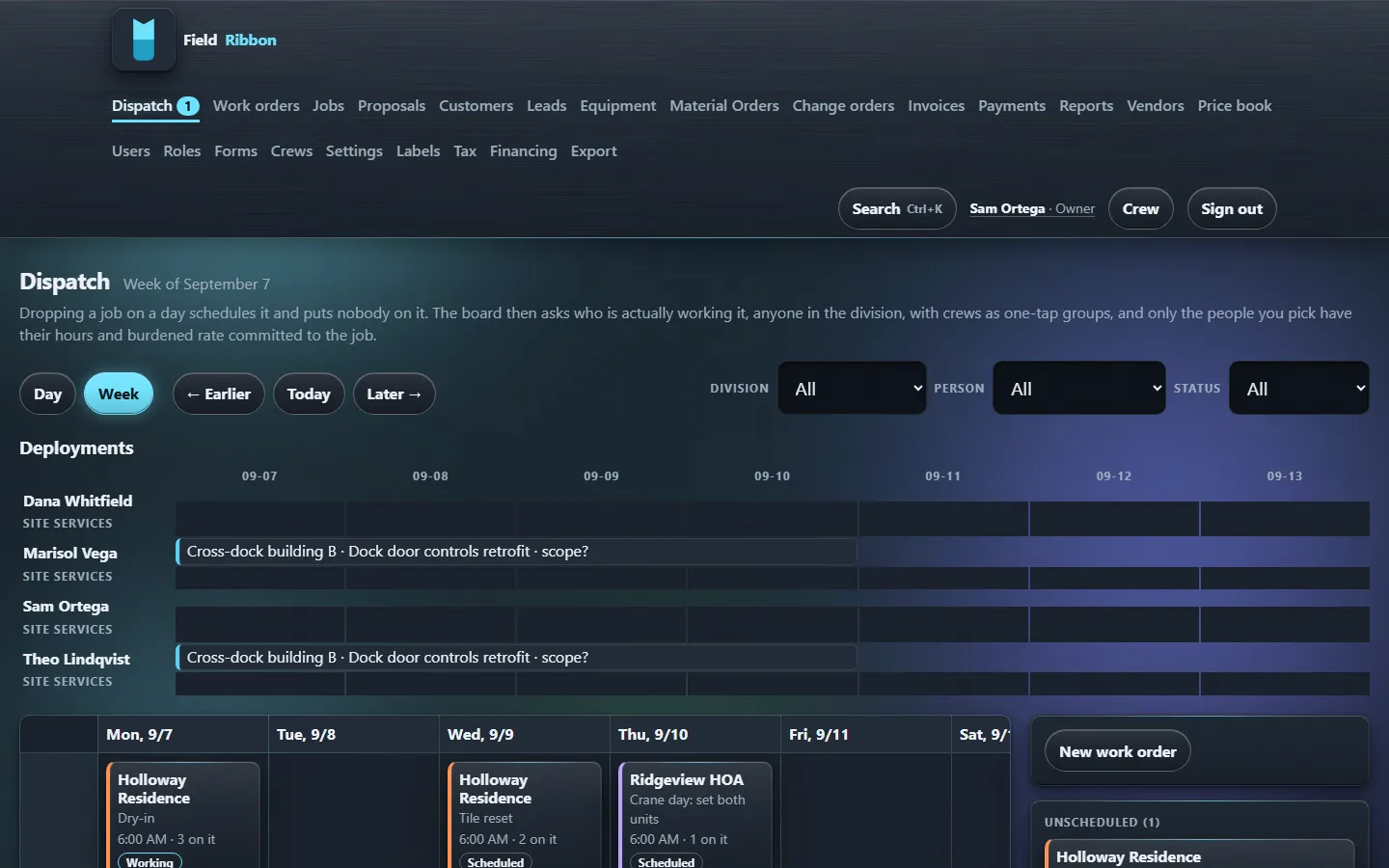
Project phases for roofing, route visits for landscaping, demand service for HVAC, and deployed technicians with per-site scheduling. One board, four scheduling modes, drag to schedule.
A change order carries the customer's signature and moves the contract. A purchase order commits cost before the receipt exists. Deductive changes become credit memos instead of arguments.
Import a price book from CSV and sell from it in the field. Build the forms your trade needs, publish versions, fill them offline. Everything else ships opinionated so you are working in an afternoon, not configuring for six weeks.
How it starts
Pricing
Pick the band your headcount fits. Hire into it without paying more. Pay annually and get two months free.
Shop
1 to 5 people
$399$199.50/month, limited time
One truck to a small crew. Everything, from day one.
Ask about ShopTeam
6 to 15 people
$899$449.50/month, limited time
A dispatcher, an office, and crews in the field.
Ask about TeamCompany
16 to 30 people
$1,599$799.50/month, limited time
Multiple divisions, a bookkeeper, and real margin to protect.
Ask about CompanyEnterprise
31 to 50 people
$2,399$1,199.50/month, limited time
Several trades under one roof, one costing spine underneath.
Ask about Enterprise51+ people? That is a conversation, not a card. Book a walkthrough and bring your org chart.
Sold alongside, one time: data migration $1,500 to $3,500; guided onboarding $1,500. Card processing is Stripe's published rate on your own account. Month to month; cancel any time and leave with everything.
Get started
Pick the trades you run and how many people you have, and the same few answers set up a demo company in the trades you picked or a live walkthrough on your own jobs. If you are past deciding, set your real company up instead.
Questions
Yes. The crew phone is an installable web app that keeps the day's work, photos, forms and status changes on the device and syncs them when it reconnects. The sync indicator never says “saved” until it is.
Month to month. Annual is optional and gets you two months free. The limited-time price is locked for 24 months; the commitment runs in your favour, not ours.
Every organisation can export everything it owns, any time, from its own settings screen. Your data lives in a managed Postgres database with tested backups and restores; photos live on a separate object store. Leaving is a download, not a negotiation.
Invoices, payments, customers and tax codes export in the shape a bookkeeper imports. A live two-way sync is not built yet, and this page will say so until it is.
Tax treatment is something your organisation configures: which job types are taxed, at what rate, and how deductions are handled. Arizona's contracting rules are the hardest case and are built in; other states set their own treatments. The product does the arithmetic on what you tell it and records what was applied.
Roofing, landscaping, HVAC and deployed technicians (a tech stationed at a customer site). One organisation can run any mix; each division gets its own scheduling mode and defaults.
FieldRibbon LLC, an Arizona company. Our support staff give every walkthrough and answer the phone when something is wrong.
Bring a job you just finished. We will show you what it made, and what the next one will.